Τι νόημα έχει πλέον να παλεύεις; Νέοι νεκροί, γυναίκες κακοποιημένες, παιδιά χωρίς ψυχή. Η κοινωνία του σύγχρονου κόσμου, η κοινωνία της προόδου και της τεχνολογικής ανάπτυξης. Στέκεσαι για μια στιγμή στο κατώφλι του...
“Να σε ρωτήσω, πόνεσες όταν έπεσες στη γη;”. Αυτή ήταν η ατάκα με την οποία σ’ έριξα. Το θυμάσαι άραγε; Εγώ την θυμάμαι κάθε φορά που βρέχει. Όπως κάθε φορά, είμαι εδώ στο μπαλκόνι, στο μικρό καλλιτεχνικό σου μέρος όπως...
– Δεν θέλω να καταλήξω σαν τη βέρα των γονιών μου, άδεια και μόνη σ’ ένα συρτάρι. Γι’ αυτό μην τη βγάλεις να δεις κάποια πιο όμορφή μου, σε παρακαλώ. Όχι πάλι, μην τη χρησιμοποιείς για να αφήσεις σημάδι στο...
Νόμιζα πως ήταν η χειρότερη μέρα της ζωής μου. Όμως η λέξη «χειρότερη» δεν μπορεί να χαρακτηρίσει το χάος που κυρίευε κάθε κύτταρο του σώματός μου. Ο μεγαλύτερος μου φόβος και ο πιο συχνός μου εφιάλτης έλαβε υπόσταση...
– Θα μπορούσες να μου κάνεις μία αγκαλιά, Και να μου πεις ψέματα πως όλα είναι καλά; Τουλάχιστον να μην φοβάμαι αν είμαι μόνη Σε αυτήν τη λερωμένη σκόνη – Θα το ήθελα πολύ, μικρή Αλλά πρέπει και να κοιμηθείς...
Παρατηρούσε τους ανθρώπους τριγύρω της, τους μορφασμούς τους, το άγχος που μετέδιδαν από την κάθε τους κίνηση, τα θλιμμένα χαμόγελά τους, τη φύση, τα ζώα, τον ουρανό. Δεν είναι πως τα σιχαινόταν μα την έπνιγαν. Έβρισκε...
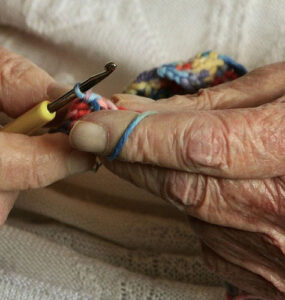
Έκλεισε και σήμερα τα παντζούρια, κλείδωσε πάλι την πόρτα του άδειου της σπιτιού. Μπορεί και σήμερα να μπούνε κλέφτες. Αλλά και να μπουν… σάμπως έμεινε και τίποτα να πάρουν; Μια ψωροσύνταξη, ούτε 500 ευρώ, δυο...
Απόψε σου μιλώ με ένα μπουκάλι αλκοόλ στο χέρι Τρεμάμενη στη σκέψη σου Έχοντας αντίκρυ το φως του φεγγαριού, την λάμψη των αστεριών Απόψε σου μιλώ για κείνα που δεν πρόφτασε ο νους του κόσμου να νοήσει. Σκεπτόμενη τα...
Ήταν Χριστούγεννα, όμως αυτός περπατούσε μοναχός στο πυκνό χιόνι, που είχε σκεπάσει την πολιτεία. Τα γυαλιά του είχαν θολώσει απ’ το κρύο, έτσι όπως είχε θολώσει κι η ίδια του η σκέψη. Βλέποντας τριγύρω του λαμπιόνια...
Χριστουγεννιάτικο στολίδι μου είπαν ότι είμαι. Το σπίτι μου ένα γυάλινο πράγμα με νερό, που όταν το κουνάς πέφτουν χιονονιφάδες, ακόμα δεν με αφήνει να βγω έξω από αυτό. Κρατάω ένα πράσινο δώρο και είμαι ένα άσπρο...
Ήταν βράδυ παραμονής Πρωτοχρονιάς, το χιόνι έπεφτε πυκνό σκεπάζοντας κάθε ίχνος του εδάφους. Τα σπίτια και οι αυλές τους ήταν στολισμένα με διάφορα πρωτότυπα χριστουγεννιάτικα στολίδια και χρωματιστά λαμπιόνια. Από...
Πλησιάζουν οι μέρες για τα Χριστούγεννα και πάλι μόνη θα είμαι μέσα σε αυτό το παλιό, κρύο κτίριο. Όλοι φεύγουν, κανείς δεν μένει κι εγώ πάλι μόνη μου χωρίς παρέα. Το μόνο που έχω είναι το αρκουδάκι μου την Τούλα...
Μια φορά και έναν καιρό, σε ένα μέρος ούτε κοντινό ούτε μακρινό, εκεί όπου φύτρωναν όλες οι λεμονιές, υπήρξε μια οικογένεια λεμονιών που έκανε τιιι… ε λεμόνια φυσικά! Ο μικρότερος της οικογένειας ήταν ο Λεμονής που τις...
Χιόνιζε έξω γιορτινά, παραμονή Χριστουγέννων. Το τελευταίο δώρο μπήκε στον τεράστιο κόκκινο σάκο του αγαπημένου παχουλού παππούλη όλων των παιδιών, όλων των φρόνιμων παιδιών για την ακρίβεια. Όλα δούλευαν ρολόι στο...
Μια φορά και έναν καιρό ήταν ένας τάρανδος, αγνός, καλόκαρδος και τόσο όμορφος όσο και η ψυχή του. Δούλευε για τον Άγιο Βασίλη και κάθε χρόνο την ίδια μέρα πετούσε αυτός και οι υπόλοιποι τάρανδοι, με την βοήθεια ενός...
Σε παρακαλώ, πες μου ότι δεν είμαι ο μόνος, ότι δεν είμαι τρελός. Άραγε, υπάρχει άλλος; Κάποιος που καταλαβαίνει ότι η ζωή είναι ομαδικό παιχνίδι; Κάποιος που ανοίγει τα μάτια και βλέπει πού βρίσκεται η κοινωνία, πού...
14 Ιουλίου, η απουσία του είχε αρχίσει να με κυριεύει. Ένιωθα το στήθος μου να βαραίνει με κάθε του σκέψη. Ήθελα να φύγω, να βγω έξω, αλλά ο καιρός ήταν μουντός. Η γιαγιά μου, ανίδεη για το πώς νιώθω, με βλέπει να...
Μαμά, μπαμπά, είναι Χριστούγεννα. Είναι, επιτέλους, Χριστούγεννα! Ανυπομονούσα τόσο καιρό, μετρούσα αντίστροφα τις μέρες. Κάτι, βαθιά μέσα μου, μου έλεγε πως θα είστε σήμερα εδώ, μαζί μου. Φέτος στόλισα το δέντρο μας...
Αυτή η λειτουργία επιτρέπει στα άτομα με επιληψία να χρησιμοποιούν την ιστοσελίδα με ασφάλεια, εξαλείφοντας τον κίνδυνο επιληπτικών κρίσεων που προκύπτουν από κείμενο ή γραφικά που αναβοσβήνουν και επικίνδυνους συνδυασμούς χρωμάτων.
Λειτουργία με προβλήματα όρασης
Για ανθρώπους με προβλήματα όρασης
Αυτή η λειτουργία προσαρμόζει τον ιστότοπο για την ευκολία των χρηστών με προβλήματα όρασης, όπως απώλεια περιφερειακής όρασης (όραση σήραγγας), καταρράκτη, γλαύκωμα και άλλα.
Λειτουργία βελτίωσης εστίασης
Βοηθά στην εστίαση σε συγκεκριμένο περιεχόμενο
Αυτή η λειτουργία παρέχει διάφορες βελτιώσεις για να βοηθήσει τους χρήστες με γνωστικές διαταραχές, όπως η δυσλεξία ή ο αυτισμός, να εστιάσουν πιο εύκολα στα βασικά στοιχεία του ιστότοπου.
Βελτίωση χρήσης για άτομα με ΔΕΠΥ
Μείωση περισπασμών και βελτίωση εστίασης
Αυτή η λειτουργία βοηθά τους χρήστες με Διαταραχή ελλειμματικής προσοχής/υπερκινητικότητας (ΔΕΠΥ) να διαβάζουν, να περιηγούνται και να εστιάζουν στα κύρια στοιχεία του ιστότοπου πιο εύκολα, μειώνοντας σημαντικά τις περισπασμούς.
Συμβατότητα με αναγνώστες οθόνης
Επιτρέπει τη χρήση του ιστότοπου με προγράμματα ανάγνωσης οθόνης
Αυτή η λειτουργία διαμορφώνει τον ιστότοπο ώστε να είναι συμβατός με προγράμματα ανάγνωσης οθόνης όπως τα JAWS, NVDA, VoiceOver και TalkBack. Το πρόγραμμα ανάγνωσης οθόνης είναι λογισμικό για τυφλούς χρήστες που είναι εγκατεστημένο σε υπολογιστή και smartphones.
Βελτίωση εμπειρίας ανάγνωσης
Μέγεθος περιεχομένων
Προεπιλογή
Μεγεθυντής κειμένου
Καθαρότερη γραμματοσειρά
Highlight Titles
Επισήμανση υπερσυνδέσμων
Μέγεθος κειμένου
Προεπιλογή
Ύψος γραμμής
Προεπιλογή
Απόσταση γραμμάτων
Προεπιλογή
Στοίχιση αριστερά
Στοίχιση στο κέντρο
Στοίχιση δεξιά
Βελτίωση εμπειρίας ανάγνωσης
Σκούρα αντίθεση χρωμάτων
Φωτεινή αντίθεση χρωμάτων
Μονόχρωμη προβολή
Υψηλή αντίθεση
High Saturation
Low Saturation
Προσαρμογή χρώματος κειμένου
Προσαρμογή χρώματος τίτλων
Προσαρμογή χρώματος φόντου
Διευκόλυνση προβολής/χρήσης
Απόκρυψη εικόνων
Εικονικό πληκτρολόγιο
Χάρακας ανάγνωσης
Απόκρυψη κινήσεων
Μάσκα ανάγνωσης
Επισήμανση επιλογής
Μεγάλος μαύρος δείκτης
Μεγάλος άσπρος δείκτης
Navigation Keys
Accessibility Statement
www.grafein.gr
02/05/2026
Compliance status
We firmly believe that the internet should be available and accessible to anyone, and are committed to providing a website that is accessible to the widest possible audience,
regardless of circumstance and ability.
To fulfill this, we aim to adhere as strictly as possible to the World Wide Web Consortium’s (W3C) Web Content Accessibility Guidelines 2.1 (WCAG 2.1) at the AA level.
These guidelines explain how to make web content accessible to people with a wide array of disabilities. Complying with those guidelines helps us ensure that the website is accessible
to all people: blind people, people with motor impairments, visual impairment, cognitive disabilities, and more.
This website utilizes various technologies that are meant to make it as accessible as possible at all times. We utilize an accessibility interface that allows persons with specific
disabilities to adjust the website’s UI (user interface) and design it to their personal needs.
Additionally, the website utilizes an AI-based application that runs in the background and optimizes its accessibility level constantly. This application remediates the website’s HTML,
adapts Its functionality and behavior for screen-readers used by the blind users, and for keyboard functions used by individuals with motor impairments.
If you’ve found a malfunction or have ideas for improvement, we’ll be happy to hear from you. You can reach out to the website’s operators by using the following email
Screen-reader and keyboard navigation
Our website implements the ARIA attributes (Accessible Rich Internet Applications) technique, alongside various different behavioral changes, to ensure blind users visiting with
screen-readers are able to read, comprehend, and enjoy the website’s functions. As soon as a user with a screen-reader enters your site, they immediately receive
a prompt to enter the Screen-Reader Profile so they can browse and operate your site effectively. Here’s how our website covers some of the most important screen-reader requirements,
alongside console screenshots of code examples:
Screen-reader optimization: we run a background process that learns the website’s components from top to bottom, to ensure ongoing compliance even when updating the website.
In this process, we provide screen-readers with meaningful data using the ARIA set of attributes. For example, we provide accurate form labels;
descriptions for actionable icons (social media icons, search icons, cart icons, etc.); validation guidance for form inputs; element roles such as buttons, menus, modal dialogues (popups),
and others. Additionally, the background process scans all of the website’s images and provides an accurate and meaningful image-object-recognition-based description as an ALT (alternate text) tag
for images that are not described. It will also extract texts that are embedded within the image, using an OCR (optical character recognition) technology.
To turn on screen-reader adjustments at any time, users need only to press the Alt+1 keyboard combination. Screen-reader users also get automatic announcements to turn the Screen-reader mode on
as soon as they enter the website.
These adjustments are compatible with all popular screen readers, including JAWS and NVDA.
Keyboard navigation optimization: The background process also adjusts the website’s HTML, and adds various behaviors using JavaScript code to make the website operable by the keyboard. This includes the ability to navigate the website using the Tab and Shift+Tab keys, operate dropdowns with the arrow keys, close them with Esc, trigger buttons and links using the Enter key, navigate between radio and checkbox elements using the arrow keys, and fill them in with the Spacebar or Enter key.Additionally, keyboard users will find quick-navigation and content-skip menus, available at any time by clicking Alt+1, or as the first elements of the site while navigating with the keyboard. The background process also handles triggered popups by moving the keyboard focus towards them as soon as they appear, and not allow the focus drift outside of it.
Users can also use shortcuts such as “M” (menus), “H” (headings), “F” (forms), “B” (buttons), and “G” (graphics) to jump to specific elements.
Disability profiles supported in our website
Epilepsy Safe Mode: this profile enables people with epilepsy to use the website safely by eliminating the risk of seizures that result from flashing or blinking animations and risky color combinations.
Visually Impaired Mode: this mode adjusts the website for the convenience of users with visual impairments such as Degrading Eyesight, Tunnel Vision, Cataract, Glaucoma, and others.
Cognitive Disability Mode: this mode provides different assistive options to help users with cognitive impairments such as Dyslexia, Autism, CVA, and others, to focus on the essential elements of the website more easily.
ADHD Friendly Mode: this mode helps users with ADHD and Neurodevelopmental disorders to read, browse, and focus on the main website elements more easily while significantly reducing distractions.
Screen-readers Compatibility: this mode configures the website to be compatible with screen-readers such as JAWS, NVDA, VoiceOver, and TalkBack. A screen-reader is software for blind users that is installed on a computer and smartphone, and websites must be compatible with it.
Keyboard Navigation Profile (Motor-Impaired): this profile enables motor-impaired persons to operate the website using the keyboard Tab, Shift+Tab, and the Enter keys. Users can also use shortcuts such as “M” (menus), “H” (headings), “F” (forms), “B” (buttons), and “G” (graphics) to jump to specific elements.
Additional UI, design, and readability adjustments
Font adjustments – users, can increase and decrease its size, change its family (type), adjust the spacing, alignment, line height, and more.
Color adjustments – users can select various color contrast profiles such as light, dark, inverted, and monochrome. Additionally, users can swap color schemes of titles, texts, and backgrounds, with over 7 different coloring options.
Animations – epileptic users can stop all running animations with the click of a button. Animations controlled by the interface include videos, GIFs, and CSS flashing transitions.
Content highlighting – users can choose to emphasize important elements such as links and titles. They can also choose to highlight focused or hovered elements only.
Audio muting – users with hearing devices may experience headaches or other issues due to automatic audio playing. This option lets users mute the entire website instantly.
Cognitive disorders – we utilize a search engine that is linked to Wikipedia and Wiktionary, allowing people with cognitive disorders to decipher meanings of phrases, initials, slang, and others.
Additional functions – we provide users the option to change cursor color and size, use a printing mode, enable a virtual keyboard, and many other functions.
Browser and assistive technology compatibility
We aim to support the widest array of browsers and assistive technologies as possible, so our users can choose the best fitting tools for them, with as few limitations as possible. Therefore, we have worked very hard to be able to support all major systems that comprise over 95% of the user market share including Google Chrome, Mozilla Firefox, Apple Safari, Opera and Microsoft Edge, JAWS and NVDA (screen readers), both for Windows and for MAC users.
Notes, comments, and feedback
Despite our very best efforts to allow anybody to adjust the website to their needs, there may still be pages or sections that are not fully accessible, are in the process of becoming accessible, or are lacking an adequate technological solution to make them accessible. Still, we are continually improving our accessibility, adding, updating and improving its options and features, and developing and adopting new technologies. All this is meant to reach the optimal level of accessibility, following technological advancements. For any assistance, please reach out to